What does the red LIVE badge mean?
/When you see the red LIVE badge beside the Instant Weather logo at the top of the app, it means our team is currently livestreaming.
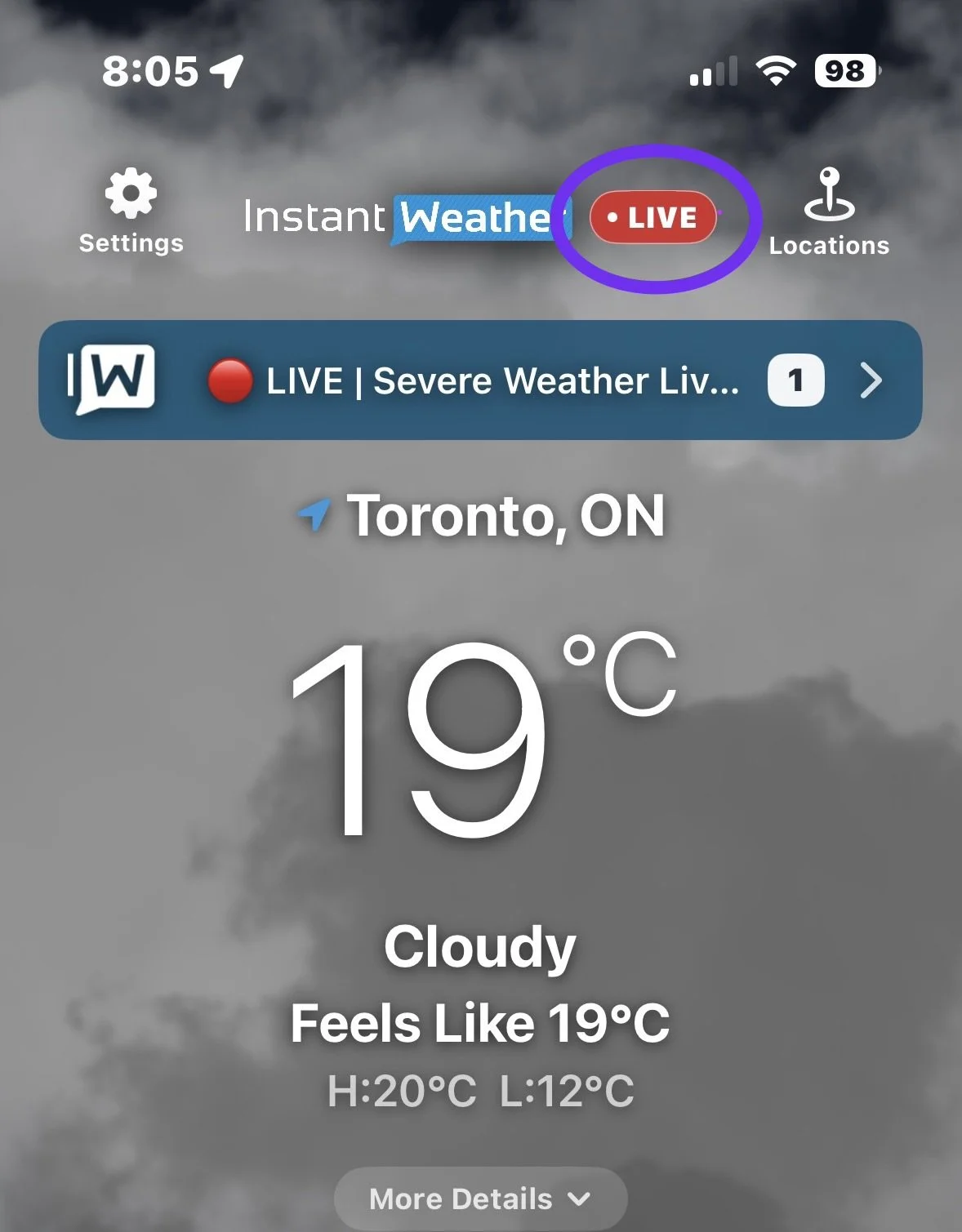
Live Badge in the App
Watching our livestreams in the app is free. No paid Instant Weather subscription is required.
How to watch the livestream
Tap the red LIVE badge to open the livestream in a floating video window.
Tap the Play button in the centre of the video to start watching.
The floating window lets you watch our coverage while checking the forecast or radar within the app.
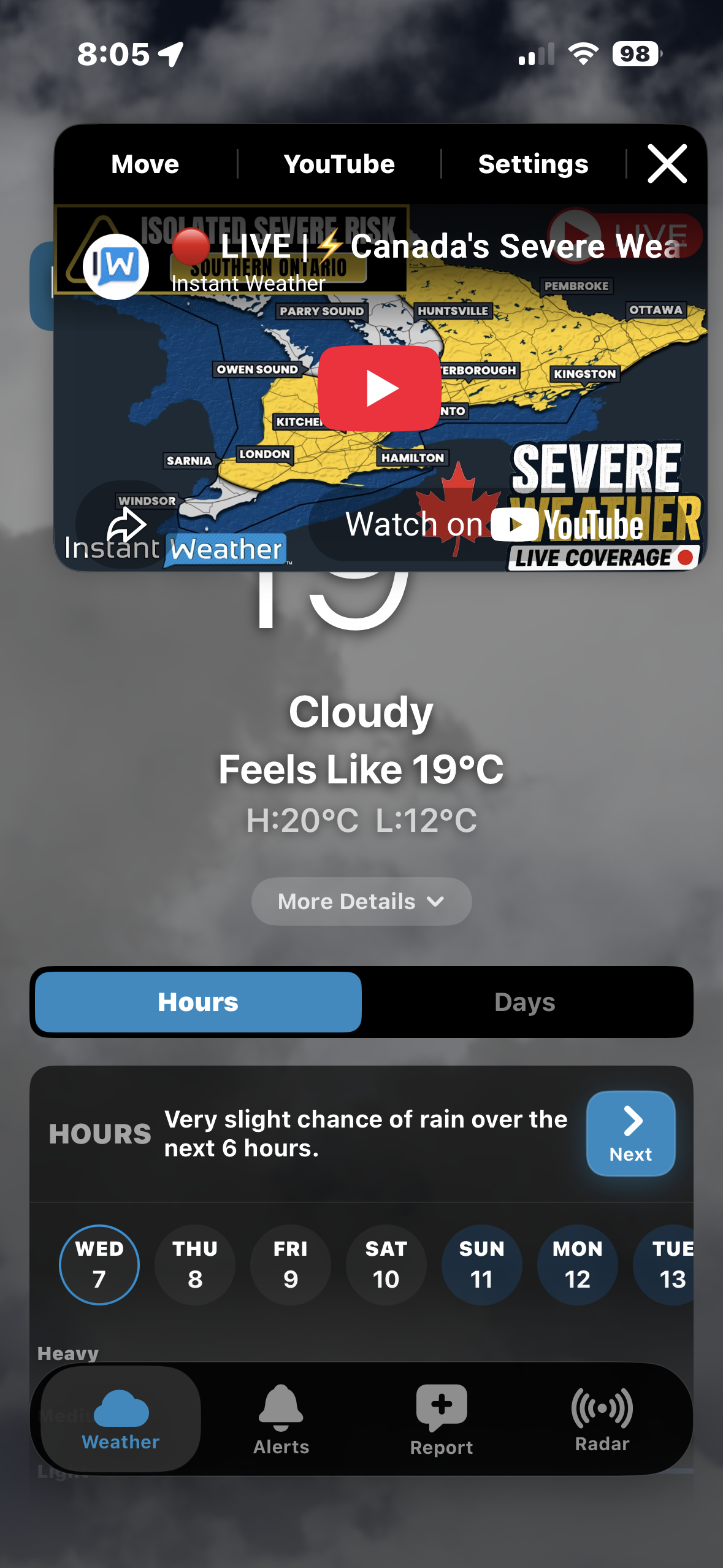
Video window controls
At the top of the video window, you’ll find:
Move: Reposition the video window.
YouTube: Open the livestream on YouTube.
Settings: Access the video window settings.
X: Close the video window.
If you close the window, you can tap the red LIVE badge to open it again while we’re live.
Can I watch on another device or my TV?
Yes! The red LIVE badge lets you know we’re broadcasting. You can watch within the Instant Weather app or open YouTube on another phone, tablet, computer or smart TV.
Visit our Instant Weather YouTube channel to find the livestream. On a TV, search YouTube for @InstantWeather.
Last updated: November 10, 2026